
Preventing Customer Churn With Brand-Aligned Tiered Support
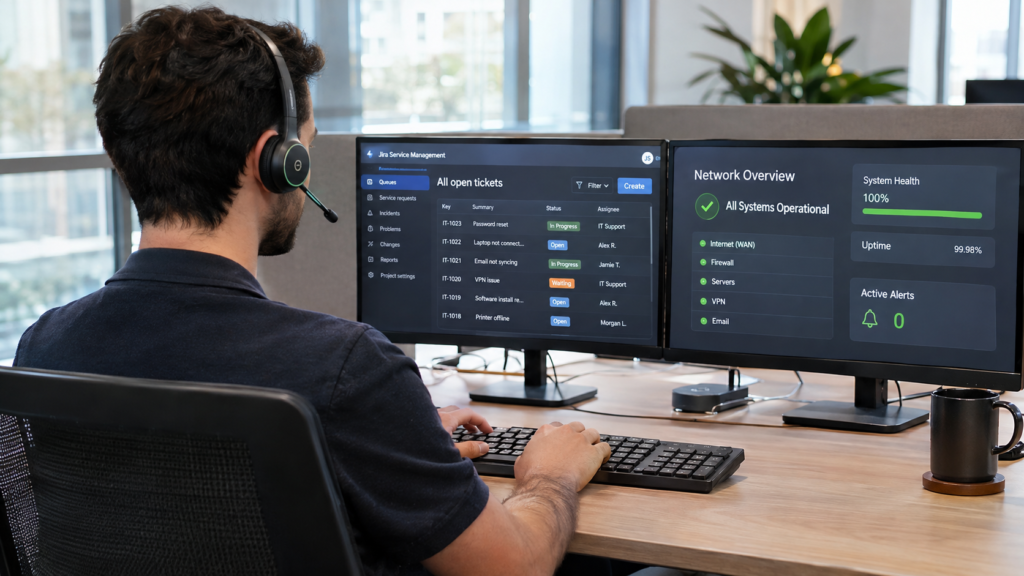
A customer hits an integration error on a Monday morning. They open a ticket, wait a day, get a scripted reply that misses the point, and are bounced between two agents before anyone looks at the logs. By Friday the issue is fixed. By the end of the quarter, so is their decision to switch providers.
Technical support is where product promises are kept or broken. Slow resolutions, ill-equipped agents, and messy escalations quietly drive churn while pulling engineers away from the roadmap. A tiered support model, staffed by trained specialists and governed by clear escalation rules, is one of the most practical ways to reduce customer churn and protect your product’s reputation.
- 79% of consumers would switch to a competitor after one bad service experience.
- 62% of customer service channel transitions are high-effort for customers.
- Clear support tiers, product training, and escalation rules protect retention and engineering focus.
- Dedicated Philippine support agents cost up to 70% less than a local desk.
The Hidden Cost of Poor Technical Support
Users rarely churn over a single bug. They churn over how the bug was handled.
One Bad Experience Is Enough
Patience is thin. Verint’s State of Customer Experience 2026 survey of 5,000 US consumers, published on Business Wire, found 79% would switch to a competitor after a single bad experience, and 78% value the fastest resolution over their preferred channel.
Messy Handoffs Add Effort
Bouncing between bots, agents, and teams frustrates users. Gartner research found 62% of customer service channel transitions are high-effort, while 93% of customers reported high satisfaction when the handoff was smooth. Clean escalation is a retention tool.
Engineers Get Pulled Off the Roadmap
When frontline support can’t resolve issues, tickets land on developers. Every hour spent on password resets or configuration questions is an hour not spent shipping features, and the backlog grows on both sides.
Cost-Centre Helpdesk vs Retention Engine
A cheap call centre answers tickets. A retention engine solves problems, protects renewals, and feeds product insight back to your team.
| Cost-Centre Helpdesk | Retention Engine |
|---|---|
| Generic scripts for every issue | Agents trained deeply on your product |
| Everything escalated to engineering | L1 and L2 resolved before engineering is involved |
| Vague bug reports | Reproduced, documented issues with logs |
| Success measured by tickets closed | Success measured by resolution, CSAT, and retention |
| Feedback stays in the inbox | Ticket trends shared with product teams |
Support as a Product Signal
Every ticket tells you something about your product. A well-run desk tags issues consistently, spots patterns early, and gives product leaders the data to fix root causes, which reduces future tickets and future churn.

Three Pillars of High-Performance Support
A structured technical support architecture rests on three pillars.
Tiered Support
- L1 triage and known fixes
- L2 deep troubleshooting
- Bug reproduction
- Clean engineering handoffs
Product Knowledge
- Technical vetting
- Knowledge base training
- Shadowing before go-live
- Release update briefings
Omnichannel SLAs
- Phone, chat, email, tickets
- Consistent brand voice
- First response targets
- Resolution time targets
Structured Multi-Tier Support
Clear support tiers keep simple issues fast and complex issues focused. Most companies start with L1 offshore and add L2 once the team is established, while Tier 3 stays with your engineers.
| Tier | Typical Scope |
|---|---|
| L1 Help Desk | Triage, password resets, account access, how-to questions, known fixes |
| L2 Technical Support | Configuration issues, integrations, log analysis, bug reproduction |
| Tier 3 Engineering | Code fixes and architecture issues, handled by your engineering team |
Technical Vetting and Continuous Product Knowledge
Every agent passes a technical troubleshooting assessment before you meet them. Training is built from your knowledge base, product documentation, ticket history, and escalation matrix, and agents shadow live tickets before working independently. Adopting Knowledge-Centered Service practices, where agents capture and improve articles as they solve tickets, keeps knowledge current with every release. The Consortium for Service Innovation reports resolution time improvements of 25 to 50% within months of adoption.
Omnichannel Consistency and SLAs
Your users should get the same quality on phone, chat, email, and tickets. Agents work to your existing SLAs for first response and resolution time, follow your brand voice, and write clear ticket notes so nobody has to repeat their story.
Tell the customer what’s next. When a ticket moves up a tier, update the user with what was found, who now owns it, and when they’ll hear back. A clear handoff turns a frustrating escalation into a reassuring one.
“Customers forgive bugs. They don’t forgive being ignored.”
Building Your Escalation Matrix
An escalation matrix tells every agent exactly when, how, and to whom an issue moves. Build it around severity.
| Severity | Example and Escalation Path |
|---|---|
| Sev 1, critical | Platform down for many users. On-call engineer paged immediately. |
| Sev 2, high | Key feature broken for a customer. L2 investigates, engineering alerted. |
| Sev 3, medium | Workaround exists. L2 resolves or logs a bug. |
| Sev 4, low | How-to or cosmetic issue. L1 resolves. |
Help Desk Metrics That Predict Churn
Track the numbers that show whether support is building loyalty or eroding it.
First Response Time
How quickly users hear from a human.
First Contact Resolution
Issues solved without a follow-up.
Mean Time to Resolution
Average time from ticket open to fix.
CSAT
Satisfaction after each interaction.
SLA Attainment
Share of tickets meeting agreed targets.
Backlog Age
Open tickets at risk of breaching SLA.

An Extension of Your Support Team
UpraisIT technical support agents work exclusively on your account, inside your ticketing system and remote tools, following your knowledge base, SLAs, escalation matrix, and brand guidelines.
Agents work in the platforms your team already uses, including:
- Zendesk
- Freshdesk
- Jira Service Management
- ServiceNow
- Intercom
- ConnectWise
- NinjaOne
- TeamViewer
- Microsoft Intune
- Okta
| Your Offshore Desk | Your Internal Team |
|---|---|
| Triages and resolves L1 and L2 tickets | Owns Tier 3 and code fixes |
| Reproduces and documents bugs | Prioritises and ships fixes |
| Updates knowledge base articles | Approves product documentation |
| Reports SLA, CSAT, and backlog | Reviews performance monthly |
Secure Access by Design
Agents use individual accounts with multi-factor authentication and role-based permissions you control. Every team member signs confidentiality agreements, and processes follow the Philippine Data Privacy Act alongside your obligations under frameworks such as UK GDPR and the Australian Privacy Act.
Why UpraisIT
Quality Built Into Go-Live
Your desk starts with a supervised nesting period, then ongoing ticket and call quality reviews, SLA and CSAT reporting, and monthly performance reviews with your support lead. Your team signs off on readiness before agents handle live tickets.
Coverage Around the Clock
| Your Location | Typical Setup |
|---|---|
| 🇺🇸 United States | Night shift aligned to Eastern, Central, or Pacific time |
| 🇬🇧 United Kingdom | Evening shift covering the UK working day |
| 🇦🇺 Australia | Day shift, starting early for eastern states |
| 🌐 Any market | 24/7 rotation, including weekends |
Explore further. See UpraisIT’s technical support outsourcing, customer support outsourcing, or software development outsourcing.

Frequently Asked Questions
Common questions from CTOs and support leaders about tiered technical support outsourcing.
Most clients start with L1 and move L2 offshore once the team is established. L2 agents reproduce and document complex issues and pass them cleanly to your engineering team for Tier 3 resolution.
Yes. Training is built from your knowledge base, documentation, ticket history, and escalation matrix. Agents complete knowledge assessments and shadow live tickets, and your team signs off on readiness before go-live.
Yes. The desk works to your existing SLAs for first response and resolution time, with reporting on SLA attainment, CSAT, first contact resolution, and ticket backlog every week or month.
Yes. Night and weekend shifts are standard in the Philippine support industry, so after-hours, weekend, or full 24/7 rotations can be designed around your ticket volume patterns.
Most US, Australian, and UK clients save 50 to 70% compared with an equivalent local desk. One flat monthly rate per agent covers salary, benefits, equipment, workspace, payroll, HR, and account management.
Technical support decides whether a frustrated user becomes a loyal one or a lost one. With clear support tiers, product-trained agents, a documented escalation matrix, and SLAs you can see, a dedicated offshore desk protects customer trust while your engineers stay focused on building.
Faster fixes. Happier users. Lower churn.
Book a Technical Support Assessment
Talk to UpraisIT about your ticket volumes, support tiers, tools, and coverage hours. We’ll design a brand-aligned support desk that lifts CSAT without distracting your developers.
Schedule an Assessment → No commitment. Response within 1 business day.